
How to Search Cases by Name
General Division and Domestic Relations searches start with the Lake County Clerk's official Court Record Search. The published instructions offer two paths. One runs on a name. The other runs on a case number. The instructions do not spell out every subfield on the Name tab or how it matches partial entries, so follow the prompts the portal shows you instead of guessing at its rules.
- Choose the court that holds the matter. The Lake Clerk search is for General Division, Domestic Relations, and the Clerk's appellate record, not every Lake court file.
- Open the Court Record Search, read the terms, and select I agree before choosing the Name tab.
- Enter the name using the fields the official screen presents. If several possibilities appear, compare the case number, case type, file date, party or company, party type, initiating action, and case status shown in the result.
- Open the matching case and read the dated docket entries and any available document links. If the needed item is unavailable remotely, use the appropriate Clerk or court channel for a copy or direct inspection.
A Common Pleas result will not identify a municipal, probate, or juvenile file. The court level tells you which name-search system to use and which office to call next.
| Official field or control | Type | Required | Published note |
|---|---|---|---|
| I agree | Acknowledgement button | Yes before search | The Clerk's guide directs users to scroll and select it. |
| Number of Results | Dropdown | Unspecified | The official screenshot shows a default of 25; the full option list was not verified. |
| Name | Search tab | Choose a search method | The guide confirms the tab, but not its exact subfields. |
| Case Number | Search tab | Choose a search method | Use all characters and leading zeroes when a number is known. |
| Case Type | Search tab | Optional or unspecified | Values were not accessible in the official material. |
| Action Code | Search tab | Optional or unspecified | Values were not accessible in the official material. |
| Advanced Attorney | Search tab | Optional or unspecified | Underlying fields were not available for verification. |
| Search | Button | Yes to run a query | Runs the selected search route. |
Lake County Court Record Search Uses Five Search Tabs
The official instruction sheet lists five Court Record Search tabs. They are Case Number, Name, Case Type, Action Code, and Advanced Attorney. Header links for Home, Search, and eFile sit alongside them. That layout matters. Lake County eFiling is a filing channel. It is not a promise that any public case can be searched there, so keep the public lookup and the filing portal straight. Treat the portal's dropdowns, error messages, and result-page controls as things you learn by using them. Their exact behavior is not documented elsewhere. If your browser ever blocks the live page with a verification screen, go back through the Clerk's own link. Or contact the Clerk's office rather than switching to some unrelated search product.
How to Search by Case Number
A known General Division number is the clearest route in. Local Rule 1.05 sets a ten-character pattern with no spaces. The example is 12CV003456: a two-digit filing year, a two-letter category, then a six-digit sequence. Type every character exactly as issued, leading zeroes included. Read the category as a routing clue rather than a full description of the case. Lake uses CR for criminal, CS for civil stalking, CF for foreclosure, and CQ for certificate of qualification. It also uses CV for other civil, JL for judgment lien, FJ for foreign judgment, and MS for miscellaneous. A category tells you nothing about which documents a result will carry. Nor does it say what access level applies.
Why Lake County Case Lookup Keeps Leading Zeroes
Lake's own search instructions warn users to include all numbers. In 12CV003456, the six-digit sequence cannot shrink to a shorter number. Drop the zeroes or add spaces and a known-number search may miss the case entirely. The yearly sequence resets on January 1. The year and category always travel with the number itself.
- Case number
- The unique Lake identifier made from the filing year, category code, and sequential digits for General Division files.
- Case type or category
- A label such as CR, CV, or CF that routes a Lake case into a published record category.
- Initiating action
- The filing or action that begins a listed case or describes its original matter in a search result.
Lake publishes no glossary of action-code shorthand. Codes like DWOP, NOS, ORD, or CONT should not be presumed to be Lake portal codes. Rely on the docket's plain-English descriptions unless the docket itself explains an abbreviation.
What a Case Search Shows
Lake's official guide lists the public fields in its result inventory. A result is an index to the court record. It is not a certified decision. It also does not promise that every filing is available remotely. Check the dated docket entries and any document links before you draw conclusions from a status label.
| Case Number | The Lake identifier for the result, such as 12CV003456 where the local format applies. |
|---|---|
| Case Type | The category displayed with the result; it helps distinguish files but is not a complete case summary. |
| File Date | The date the Clerk accepted and recorded a filing, which may differ from a hearing date. |
| Initiating Action | The filing or action used to start or identify the matter in the displayed result. |
| Party or Company | A party or organization associated with the listed case. |
| Party Type | The displayed party role, used with the caption and case number to sort similar names. |
| Case Status | A procedural label that should be read alongside the current docket entries rather than treated as a final outcome by itself. |
| Pay | An eligible-party payment action shown in the official guide; it is not a document or copy-request control. |
Lake County Case Search Covers 1990-Forward Cases and Available 2017 Images
The Clerk states that Court Record Search covers cases from 1990 to the present. Document images run from 2017 to the present when the image and case type qualify. Public images may be printed free. Those dates describe online coverage only. They are not a promise that every older paper file or newer filing is visible from home. When a Common Pleas image is missing, follow the Clerk's public-records instructions. Or contact the office directly. The Clerk asks for the case number and the documents you want. For a divorce or dissolution with no known number, it asks for both married parties' first and last names plus the case year. Emailed plain copies are free. Physical copies and certifications follow the published fee schedule.
Lake County Case Lookup Routes to Different Record Keepers
The Lake County Clerk keeps the docket for Common Pleas General Division, Domestic Relations, and Eleventh District appellate records. That is not the same as holding every case in the county. Probate runs its own eServe search. The Juvenile Division has a separate Clerk with controlled files, and each municipal court keeps its own record. For an estate, guardianship, or related probate matter, use Probate eServe and read the court's docket entries. Estate and Release from Administration entries may carry an image button. Municipal matters go to the court with territorial responsibility. Mentor's CaseLook serves Mentor and Mentor-on-the-Lake. Painesville links its own CaseLook. Willoughby's Benchmark Case Access serves Willoughby, Eastlake, Wickliffe, and listed communities. Willoughby accepts a case, ticket, or incident number. Its public form also offers name, date, court-type, cause, and case-type fields.
County vs Statewide Case Search
Ohio gives you no single statewide trial-court search that covers every county's docket. You have to pick the court first. The Ohio trial-court directory is the tool for that step, since it lists courts rather than housing a combined Lake County case database. Once you know the court, use its own docket search. When the online record leaves a question open, the clerk's office or counter is where the answer lives. That local system, not a statewide portal, is the real source for a Lake County court docket.
| Ohio statewide route | Lake County local route |
|---|---|
| No single statewide trial-court portal is documented for a General Division or Domestic Relations record. | Lake Clerk Court Record Search for General Division, Domestic Relations, and the Clerk's appellate record. |
| No statewide portal replaces a probate court's own docket process. | Probate eServe for case information and docket entries, with Probate email or counter for non-visible records. |
| No statewide portal replaces municipal court case access. | Mentor CaseLook, Painesville CaseLook or hearing schedule, and Willoughby Benchmark according to the court territory. |
| A directory can identify the court but does not open controlled juvenile files. | Juvenile Clerk or court counter under the applicable juvenile access rules. |
Lake County Cases and Federal PACER Are Separate Searches
Federal cases live in a different system. A matter filed in Lake County Common Pleas or a municipal court there will never show up on the federal side. The reverse is just as true. District and bankruptcy dockets run through the federal courts. Their official document and docket service is PACER. No search of the Lake Clerk portal can stand in for that federal docket search. A PACER hit tells you nothing about the county record sitting with the proper Lake court.
PACER's official access page shows what the federal system offers for case and docket access.
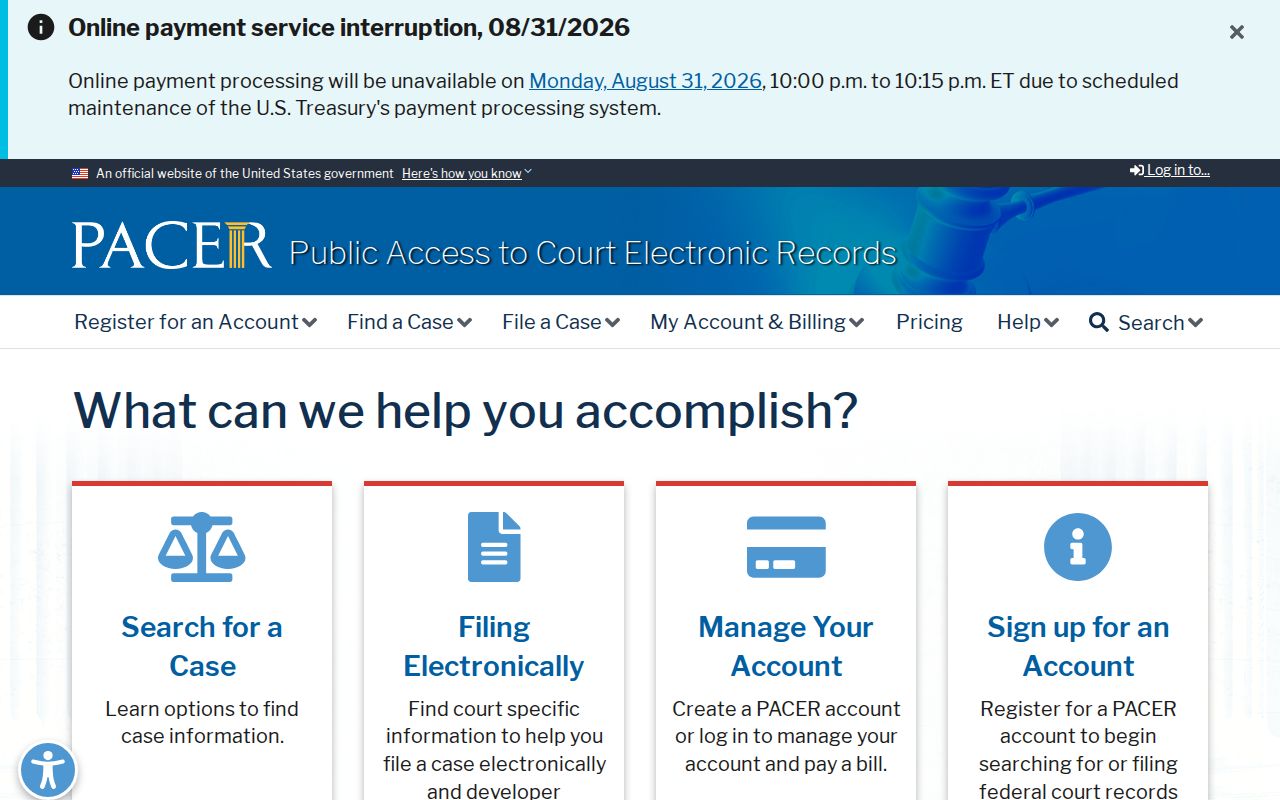
Keeping the two systems straight saves wasted docket searches. Match the case to the court that filed it first, then go through that record keeper's own search and copy channels.
Restricted Cases and Access Rules
Ohio opens its court records to the public by default. The Rules of Superintendence still permit limits on direct and remote access. They also require personal identifiers to be protected. So a case number that appears in a public docket search does not guarantee every filed document is visible online. A missing image proves nothing either. The record may well exist on file with the clerk.
Some Lake County exceptions are spelled out. Divorce and dissolution images from Domestic Relations are withheld from the Clerk's public web search. You can still request a copy. Protection-order cases are handled in person. The Clerk treats filed cases as public records at the counter while shielding online access to comply with federal law. Juvenile files answer to their own confidentiality rules. Probate adoption records carry separate confidentiality requirements as well.
Lake County Case Access Has Domestic Relations and Protection-Order Exceptions
An empty online result has several possible causes, and sealing is only one of them. The gap may come from the 1990 or 2017 coverage boundary, a remote-access limit, a redaction, or juvenile confidentiality. It could also be a genuine restriction or sealing order. Before assuming the worst about a Common Pleas item you cannot view, ask at the Clerk's counter. You can also ask through the copy-request process.
Adults with eligible criminal records have a statutory route. Ohio Revised Code section 2953.32 sends an application to seal or expunge to the sentencing court. It is subject to its conditions and exclusions. Sealing is not something a web search filters out on its own. Public results alone cannot tell you whether a record qualifies. Lake Juvenile sealing runs on a different statutory process. Access rules for the underlying file still apply.